
What Equipment Do You Need for IPTV in Ireland?
You don’t need a satellite dish, an aerial or an engineer for IPTV. You need three things:
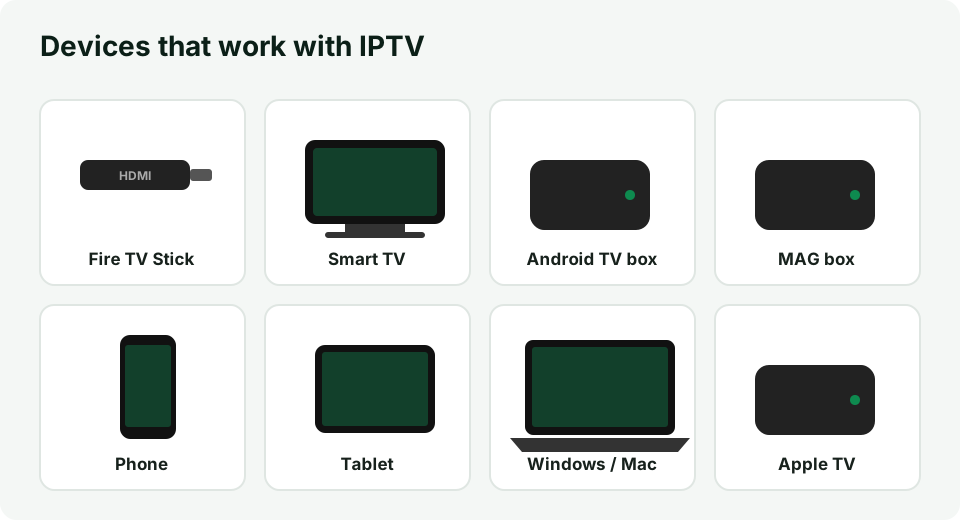
- A device that can run an IPTV app — a Firestick, Smart TV, Android box, phone, tablet or computer.
- An internet connection — ideally 25 Mbps or more for HD.
- An IPTV subscription — your username, password and server URL (or an M3U link).
This guide compares the most common devices in Irish homes, the app we recommend for each, and how to connect everything to your TV.
Quick comparison
| Device | Price (approx.) | Best app | Good for |
|---|---|---|---|
| Amazon Fire TV Stick 4K | €40–€70 | IPTV Smarters Pro, TiviMate | Most people – easy and cheap |
| Android TV box / Google TV | €50–€120 | TiviMate | Best experience, recording |
| Samsung Smart TV (Tizen) | — | IBO Player, Smart IPTV | No extra box needed |
| LG Smart TV (webOS) | — | IBO Player, Smart IPTV | No extra box needed |
| Android phone / tablet | — | IPTV Smarters Pro | Watching in another room |
| iPhone / iPad / Apple TV | — | IPTV Smarters, iPlayTV, GSE | Apple households |
| MAG box | €60–€150 | Built-in portal | Plug-and-play, remote control |
| Windows / Mac | — | IPTV Smarters, VLC | Desk or laptop viewing |
Prices are indicative and change often; you may already own a device that works.
Amazon Firestick (most popular)
The Fire TV Stick plugs into an HDMI port and turns any TV into a smart TV. It is the most popular IPTV device in Ireland because it is cheap, small and fast enough for 4K.
- Choose the 4K or 4K Max model – the basic and Lite models work, but are slower with large channel lists.
- Use the power adapter that comes in the box, not a TV USB port, to avoid restarts.
- Follow our step-by-step guide: install IPTV Smarters Pro on Firestick.
Android TV boxes and Google TV
Android boxes (for example Nvidia Shield, Formuler or Chromecast with Google TV) give the smoothest IPTV experience. They run TiviMate, which has a TV-style guide, catch-up and recording to a USB drive. If you watch a lot of live TV, this is the best long-term option.
Smart TVs (Samsung, LG, Sony, Hisense)
Most recent Smart TVs can run an IPTV app directly, so you don’t need an extra box:
- Samsung (Tizen) and LG (webOS) – install an IPTV player such as IBO Player or Smart IPTV from the TV’s app store. These apps usually show a MAC address and device key on screen; you enter them, with your playlist, on the app’s website.
- Sony, Philips, TCL, Hisense with Android TV / Google TV – install IPTV Smarters or TiviMate from Google Play, just like on an Android box.
Smart TV apps can be slower than a dedicated stick or box. If menus feel laggy, a Firestick is an inexpensive upgrade.
Phones and tablets
On Android install IPTV Smarters Pro from Google Play; on iPhone and iPad use IPTV Smarters, iPlayTV or GSE Smart IPTV from the App Store. Log in with the same details you use on the TV. You can also cast to a TV with Chromecast or AirPlay, although a dedicated app on the TV is more stable.
MAG boxes
MAG boxes (for example MAG 524) work differently: instead of a username and password, the box connects to a portal URL and is identified by its MAC address. Send us the MAC address printed under the box and we activate it for you. MAG is a good choice for less technical users because it behaves like a normal TV box with a remote.
Computers
On Windows and Mac you can use IPTV Smarters Pro for desktop, or open your M3U link in VLC (Media → Open Network Stream). This is handy for testing your subscription before you set up the TV.
Internet and Wi-Fi
The device is only half of the story. For a stable picture:
- Speed: at least 25 Mbps for Full HD and 50 Mbps for 4K per stream.
- Connection: use an Ethernet cable (or Ethernet adapter for Firestick) where possible. On Wi-Fi, connect to the 5 GHz network and keep the router close to the TV.
- Router: restart it once a week if you notice buffering in the evening.
More detail in how internet speed affects IPTV.
Using IPTV on several devices
One subscription can be installed on several devices — TV, phone and tablet — but most IPTV plans allow one stream at a time. If two people watch at the same moment on different screens, the second stream may stop. If your household needs simultaneous viewing, contact us about a multi-connection plan before you order.
How to set up IPTV on your TV – step by step
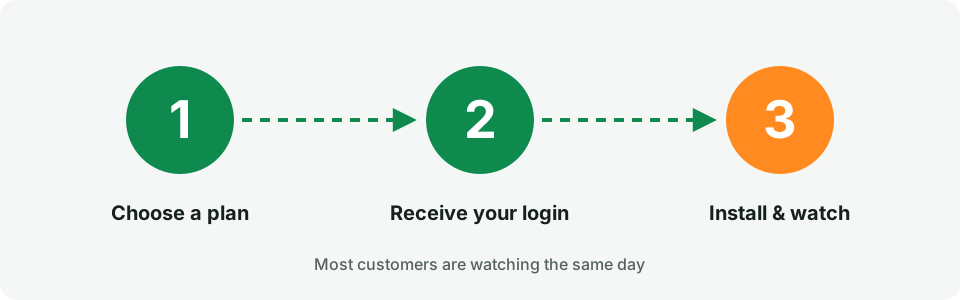
- Connect the device (Firestick, box) to a free HDMI port and to power, and select that HDMI input on the TV.
- Connect to the internet – Wi-Fi 5 GHz or Ethernet.
- Install the IPTV app from the app store, or follow our setup instructions for your device.
- Log in with the username, password and server URL from your welcome email, or add your M3U link.
- Wait for the channels and TV guide to load (usually under a minute), then add your favourites.
Stuck at any step? Our support team helps by email 7 days a week — contact us.
Do you need a VPN?
A VPN is not required to use IPTV. Some users install one for privacy or to avoid internet providers slowing down video traffic. If you use a VPN, choose a server close to Ireland and check that it doesn’t reduce your speed below the levels above.
Summary
If you are starting from scratch, a Fire TV Stick 4K with IPTV Smarters Pro is the easiest and cheapest setup. If you want the best TV-guide experience and recording, choose an Android/Google TV box with TiviMate. Already have a recent Smart TV? Try an IPTV app on the TV first. When your equipment is ready, pick a plan and you can be watching the same day.