
How to Install IPTV Smarters Pro on Firestick
IPTV Smarters Pro is a free IPTV player. It does not include any channels: you log in with the details of your IPTV subscription and the app loads your live TV, movies and series. This guide shows how to install it on an Amazon Fire TV Stick, Fire TV Stick 4K, Fire TV Stick Lite or Fire TV Cube.
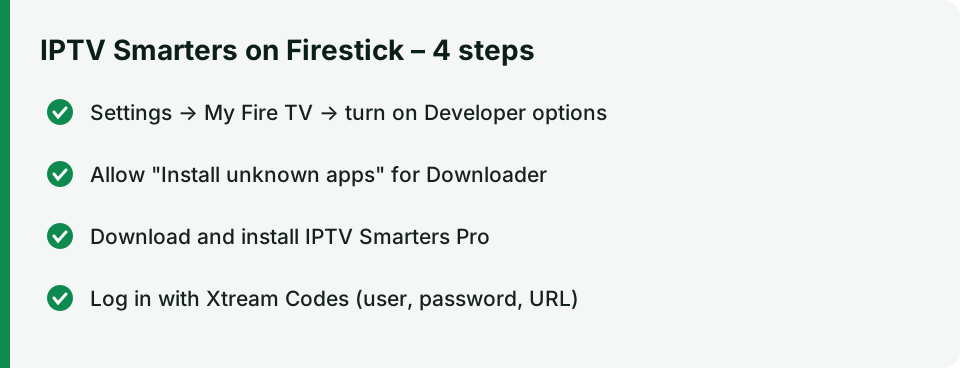
Time needed: about 10 minutes. You need: a Firestick connected to the internet and your IPTV login details (we send them by email after you order a plan).
Step 1 – Allow apps from unknown sources
IPTV Smarters is not in the Amazon Appstore, so the Firestick must be allowed to install it.
- On the home screen open Settings (gear icon) → My Fire TV.
- If you do not see Developer options, open About, highlight your device name and press the select button 7 times until the message “You are now a developer” appears.
- Go back to Developer options and turn on Install unknown apps for the Downloader app (on older models: Apps from Unknown Sources → ON).
Step 2 – Install the Downloader app
- On the home screen choose Find → Search.
- Type Downloader and install the orange app called Downloader by AFTVnews.
- Open it and allow access to files when asked.
Step 3 – Download and install IPTV Smarters Pro
- In Downloader, select the URL box.
- Enter the download link for the IPTV Smarters APK. We send the current official link with your login details, or you can ask our support team.
- Select Go, wait for the download, then choose Install.
- When the installation is finished, choose Done and then Delete to remove the installation file and free up storage.
Step 4 – Log in with your subscription
- Open IPTV Smarters Pro (you find it under Apps → Your Apps & Channels).
- Accept the terms and choose Login with Xtream Codes API (recommended) or Load your playlist or file/URL if you received an M3U link.
- Enter any name for the profile, your username, password and the server URL from our email.
- Select Add user. Live TV, movies and series load after a few seconds.
Tip: move the app to your home screen. Press and hold the home button → Apps, highlight IPTV Smarters, press the menu button (three lines) and choose Move to front.
Fix common problems
| Problem | What to do |
|---|---|
| “Invalid username or password” | Copy the details exactly — no spaces before or after. Check the server URL starts with http://. |
| Buffering | Restart the Firestick and router, use 5 GHz Wi-Fi or an Ethernet adapter. See internet speed for IPTV. |
| No TV guide (EPG) | In Smarters open Settings → EPG → Update. |
| App will not install | Make sure Install unknown apps is ON for Downloader and you have at least 500 MB free storage. |
Other devices
IPTV Smarters is also available on Android phones and TV boxes (Google Play), iPhone and iPad (App Store) and some Smart TVs. For Samsung, LG, MAG and other players see the full setup instructions and what equipment you need.